The five tabs
They are always along the bottom, whatever screen you are on.
What each tab holds 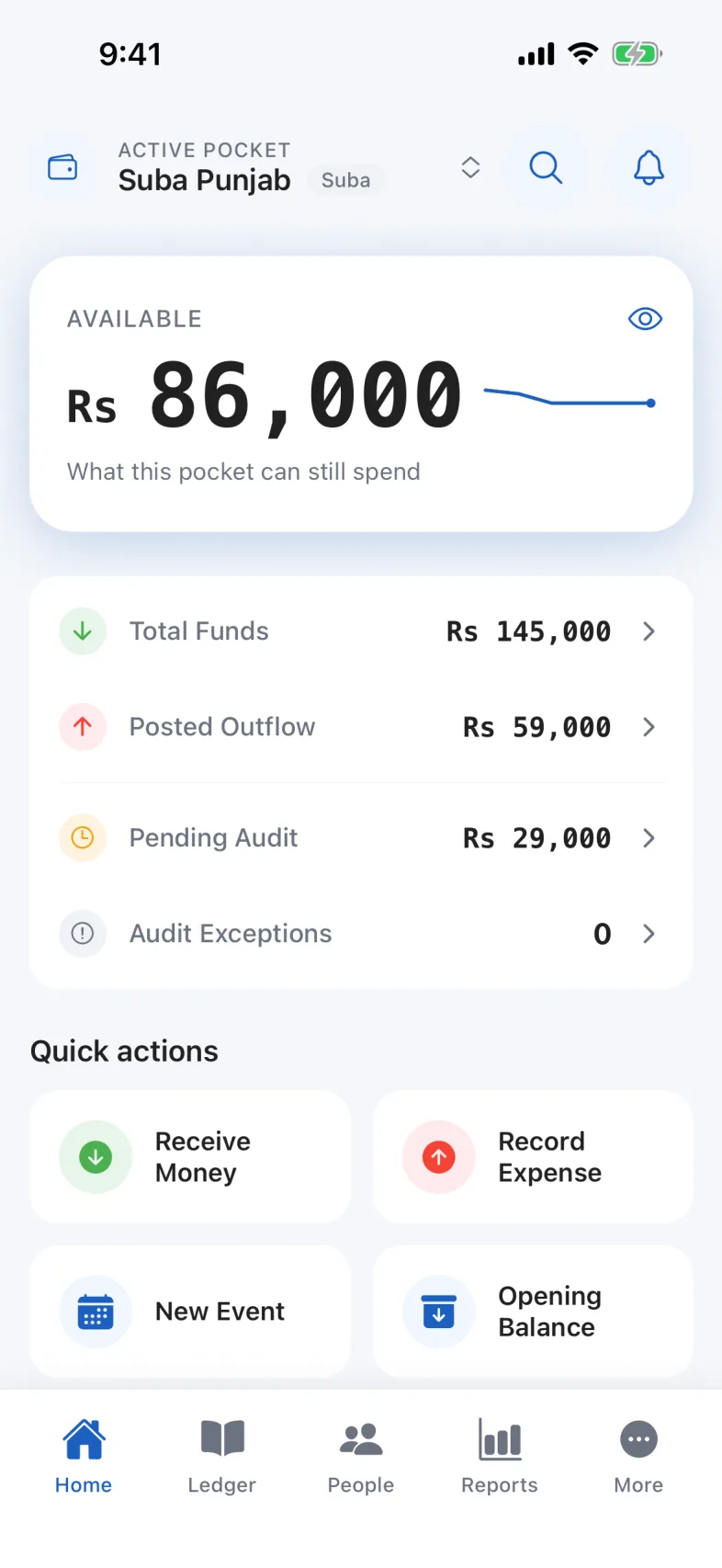
- HomeStart a job here.
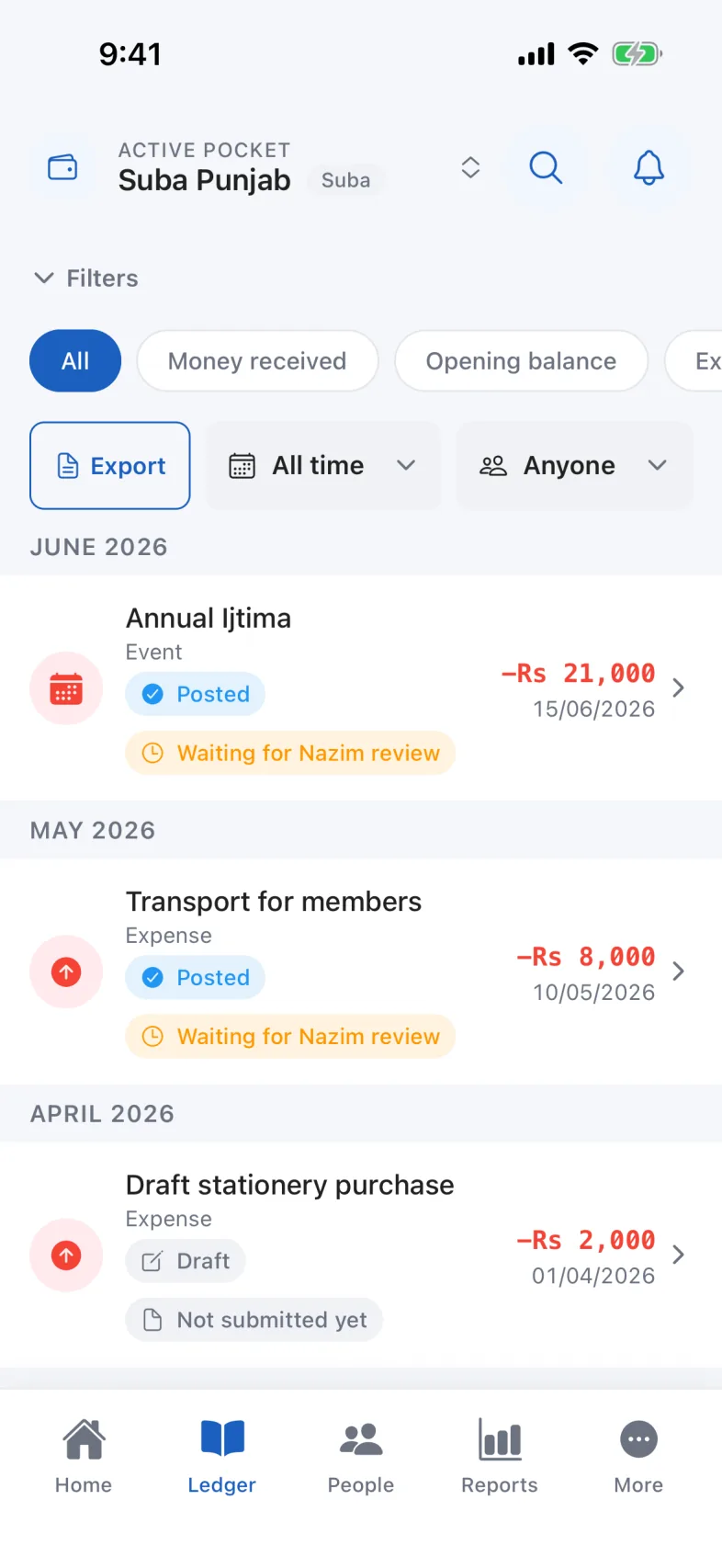
- LedgerEverything that has happened.
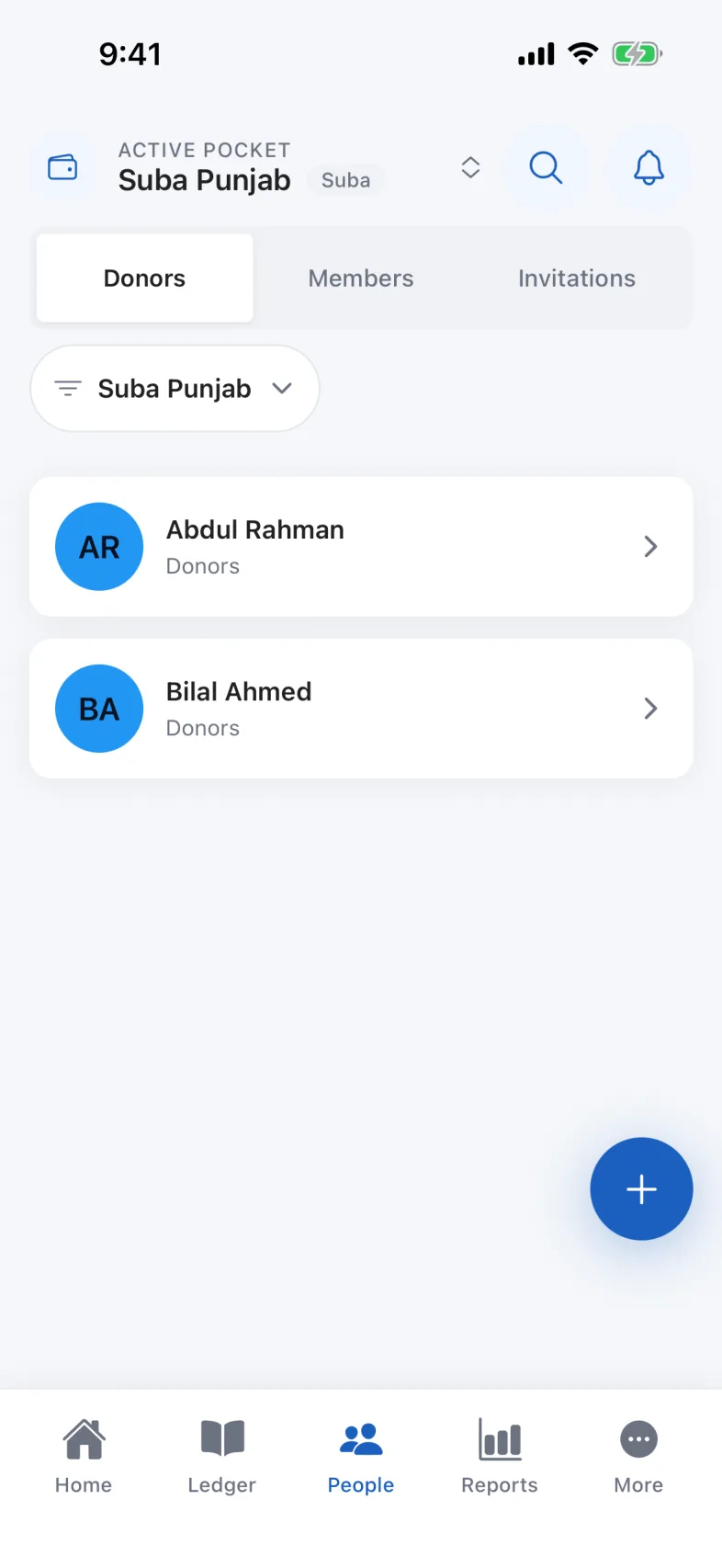
- PeopleDonors, members and invitations.
- ReportsNot there at all for the Consumer seat.
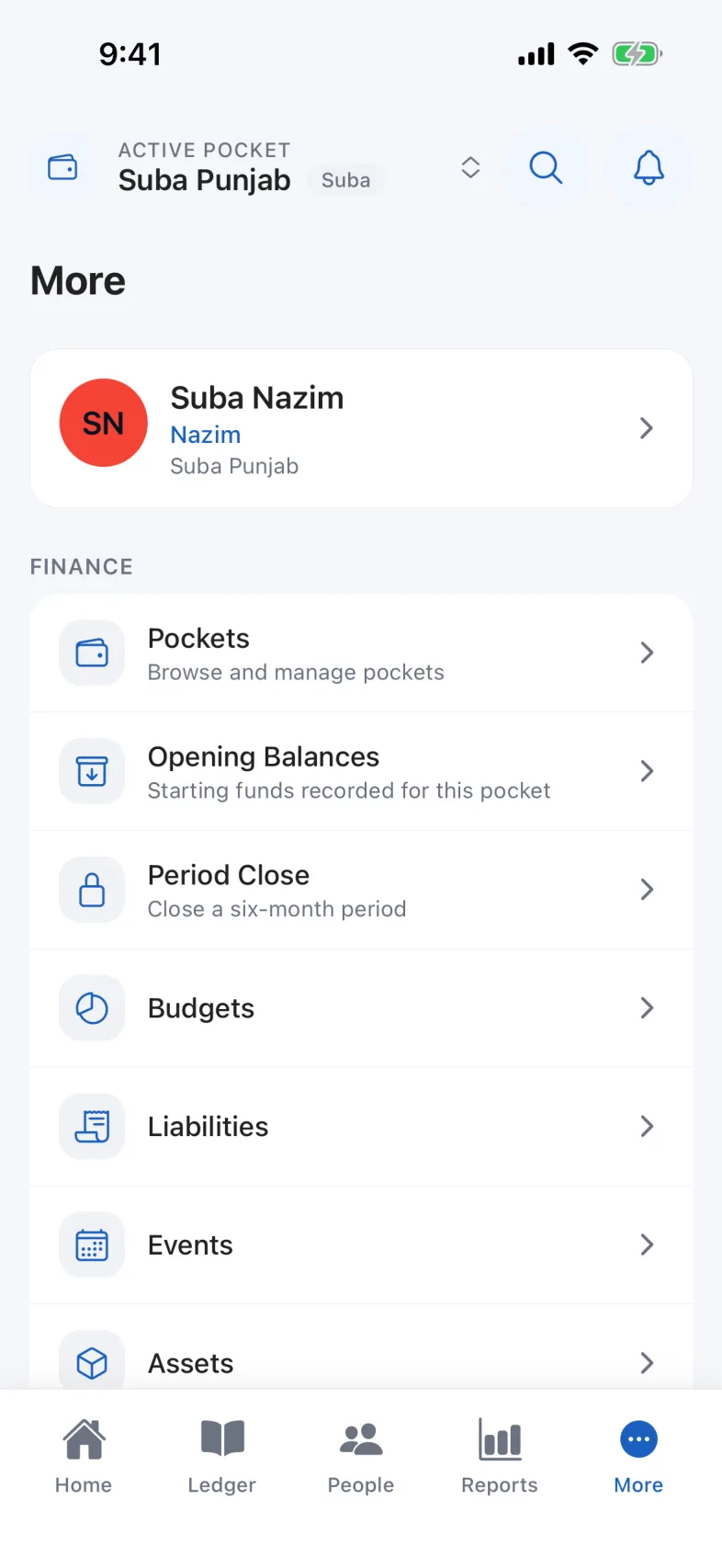
- MoreSettings, security and everything else.
Home is where you start a job
The balance, the buttons that create things, and anything waiting for you.
Ledger is everything that happened
Receipts and expenses together, newest first, grouped by month.
People is donors, members and invitations
More holds settings, Device & Security, and Delete account
Your password, Face ID and this phone’s registration are under Device & Security. Account deletion is a separate row: More → Delete account.
“Settings” in that list is only the theme and the language. It is not where the password is.
Missing a tab? That is your seat
The Reports tab does not exist for the Consumer seat. Nothing is broken.
Which tabs you get Which seat do you hold?
- Nazim, Mutamid, Incharge Finance
- All five: Home, Ledger, People, Reports, More.
- Consumer
- Four. There is no Reports tab, by design.
- Auditor
- A different app entirely: Review, History, Receipts, Analytics, More.
Help centreGetting in and getting around
Find your way around
Five tabs along the bottom. This is what each one holds.
- For
- Nazim, Nazim-e-Aala, Mutamid, Incharge Finance, Consumer
- Steps
- 6
- Reading time
- 4 min
- Updated
Read next
- Sign in for the first timeHow to open JFS for the first time with the account your organisation issued you, and what to do if it says your account is on another device.
- Who can do whatThe six seats in JFS and what each one may do: who records money, who reviews it, who has the final word, and why some buttons are missing from your screen.
Did this not cover it?
Tell us what you were trying to do and where it stopped, and a person will read it.