Help centreGetting in and getting around

Sign in for the first time

By the end of this you will be signed in and looking at your own pocket.

Before you start

  • The email address your invitation was sent to
  • The password you chose when you accepted it
For
Nazim, Nazim-e-Aala, Mutamid, Incharge Finance, Consumer, Auditor
Steps
4
Reading time
3 min
Updated
  1. Open the app and skip the introduction

    The first launch shows four introduction screens. You can read them or press Skip.
    The welcome screen shown the very first time the app is opened, with a Get started button.
  2. Type the email your invitation came to

    It must be that exact address. A different address will not find your account.

    The sign-in screen
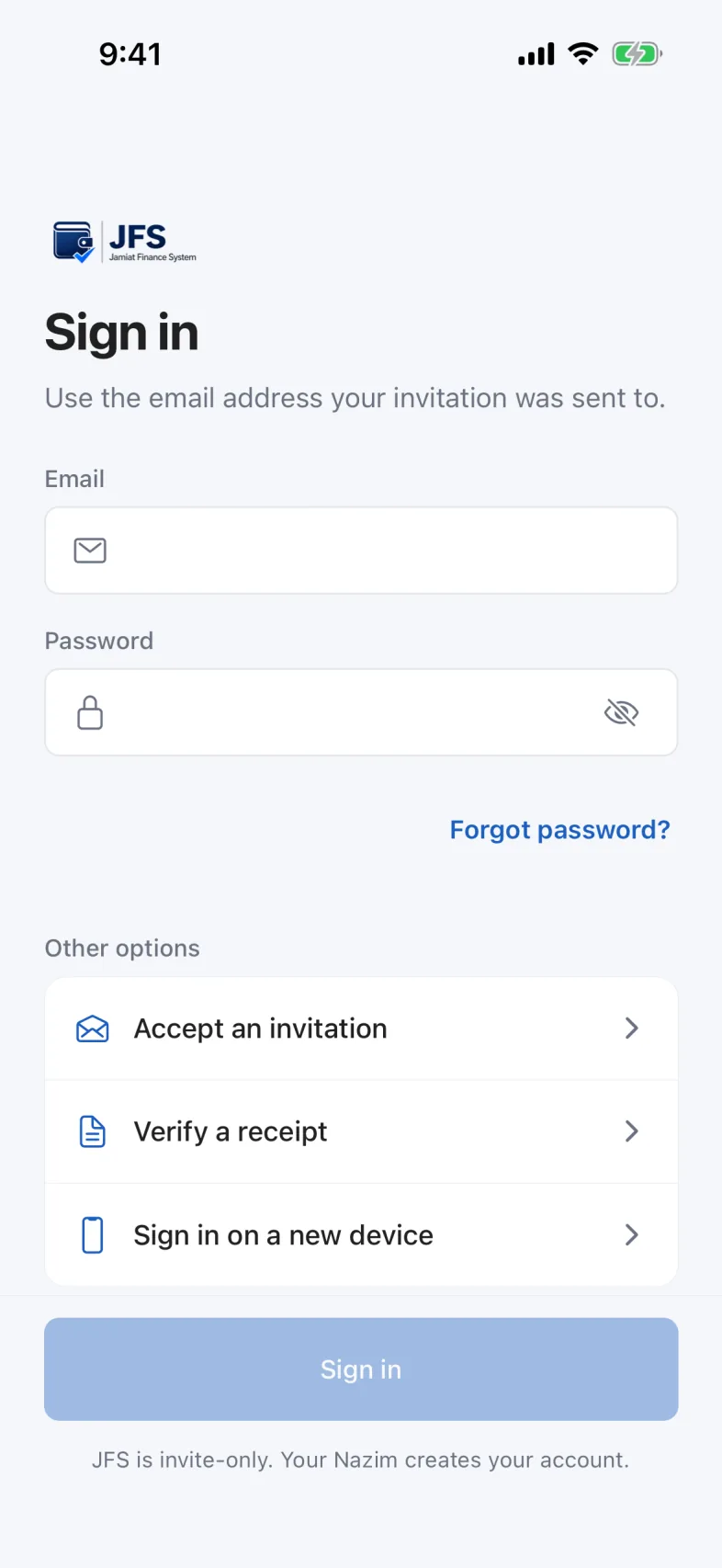
    The JFS sign-in screen, with the email and password fields empty and the Sign in button beneath them.
    1. Your email addressThe one the invitation was sent to.
    2. Your passwordThe one you chose when you accepted the invitation.
    3. Sign in
    The JFS sign-in screen, with the email and password fields empty and the Sign in button beneath them.
  3. Type your password and press Sign in

    If your phone offers to save the password, either answer is fine. JFS does not mind.
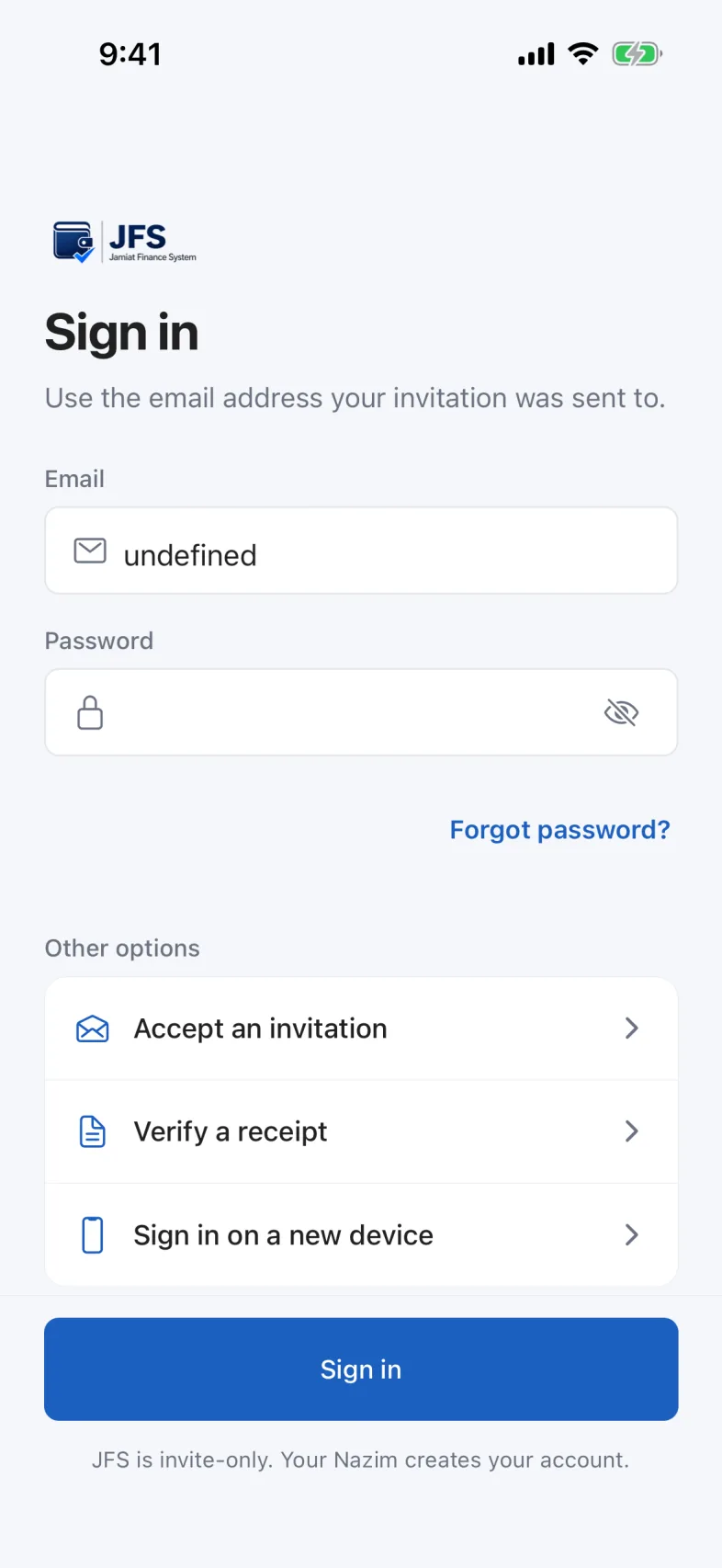
    The sign-in screen with an email address typed in and the password field filled with dots.
  4. Check the pocket name before you do anything

    The name above the balance is the set of books you are about to write in.
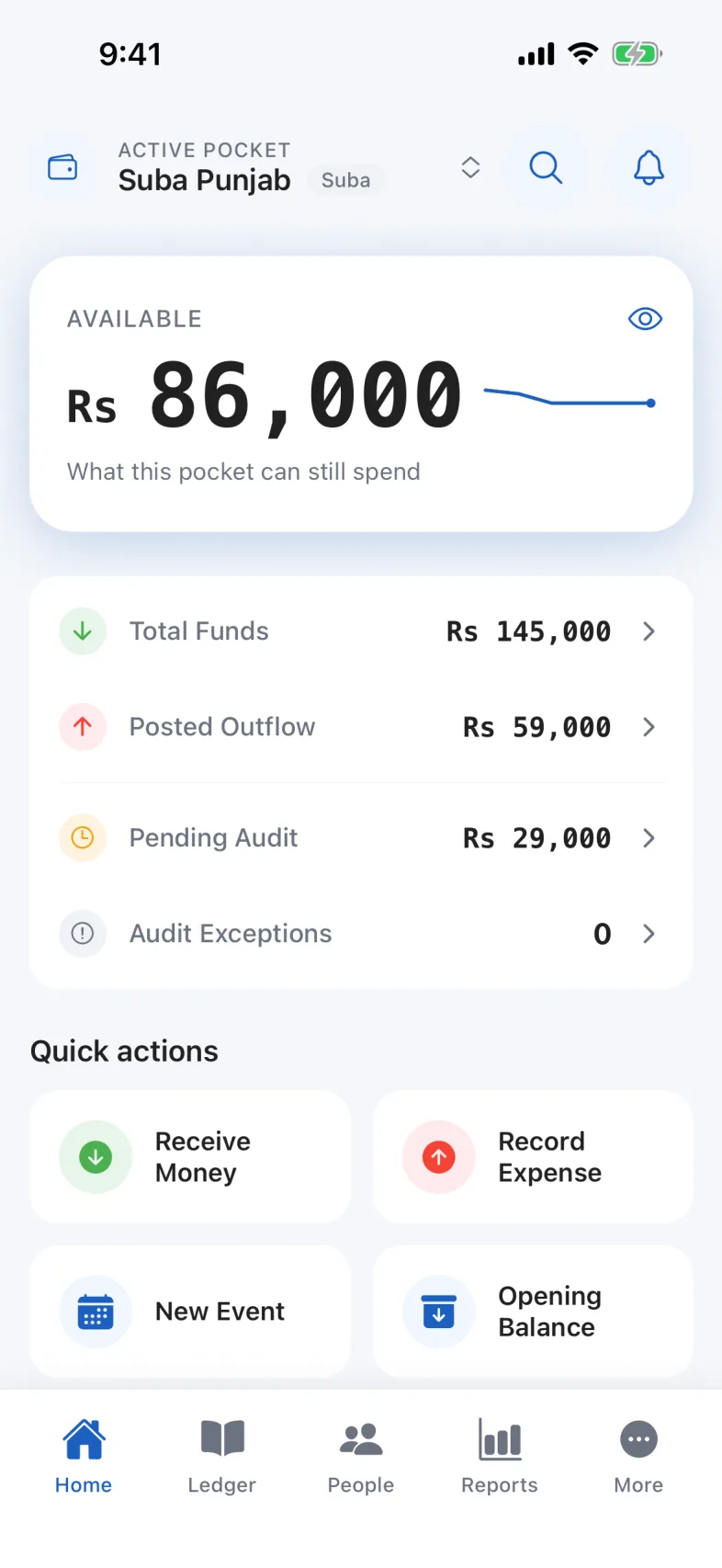
    The Home tab as a Nazim: the active pocket name at the top, the available balance, a breakdown of funds, the quick action buttons, and the five tabs along the bottom.

If something goes wrong

It says my account is signed in on another device.
An account is tied to one phone at a time. That is deliberate. Ask for a device reset from the sign-in screen, and your Nazim or Mutamid will approve it.
I never got an invitation.
Accounts are issued by the organisation and there is no public sign-up. Ask your pocket’s Nazim to invite you.

Read next

Did this not cover it?

Tell us what you were trying to do and where it stopped, and a person will read it.